Notifications
The bell in the application header opens the notification panel, with an unread indicator.
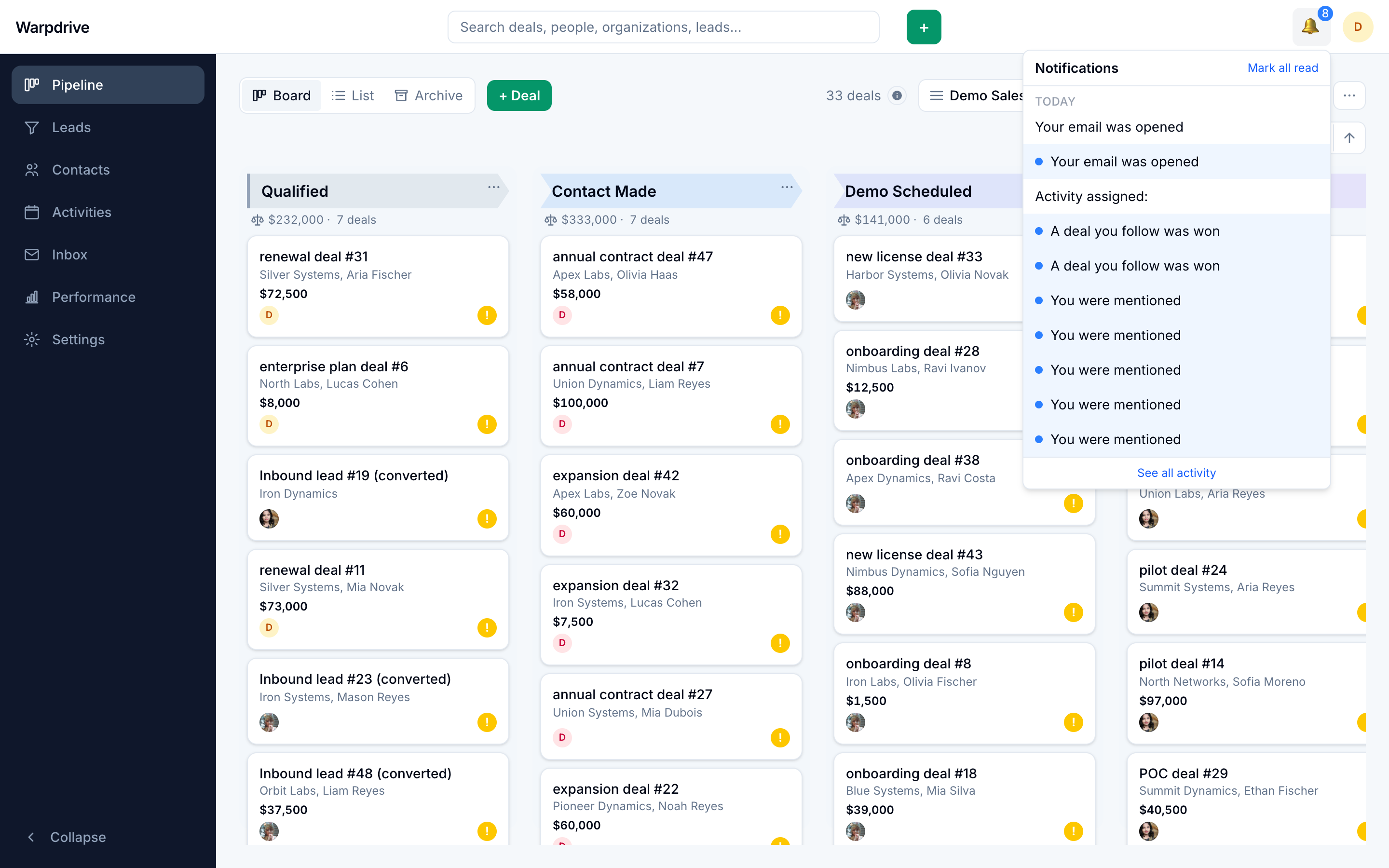
What generates one
- Being @mentioned in a note or comment.
- Activity on a record you follow.
- Assignment of a record or activity to you.
- Inbound email arriving on a deal you own or follow. The notification points at the deal's timeline, not the mailbox thread, and is suppressed for anyone who can no longer see the deal.
Following
Following a deal or contact subscribes you to its notifications without owning it, which is how someone stays informed about a deal they are not running.
Reading
Opening a notification takes you to the record it refers to and marks it read. The unread count updates live over the shared WebSocket connection, so a colleague's action updates your badge without a refresh.
Preferences
/settings/notifications controls which categories you receive, separately for
in-app and email delivery. In-app is on by default for every type. Email is on by
default only for the types worth interrupting for: mentions, comment replies,
activity assignments and reminders, and deals won or lost. High-volume types
(followed-deal updates, email opens and clicks, inbound deal email) default to
in-app only. Notification emails are sent by the background worker.
Visibility
Notifications never reveal records you cannot see. A notification for a record whose visibility changed does not become a way around visibility groups.