Deal workspace
/deals/[dealId] is the page for one deal. It is where the work actually happens once
a deal exists on the board.
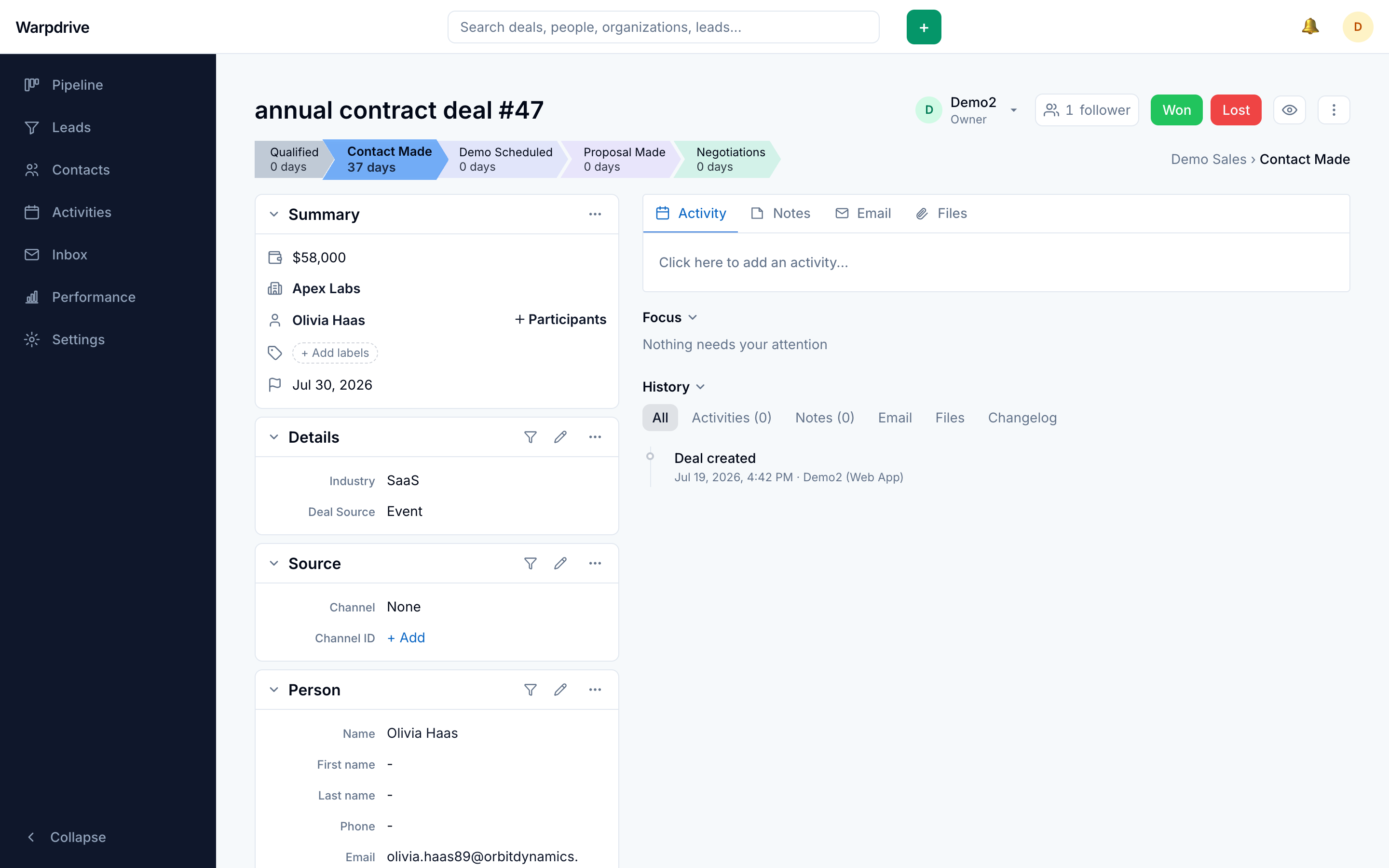
The page has three regions: a header with the stage progression, a summary sidebar of the deal's fields, and a main pane holding activity, notes, files, and email.
Stage progression
The header carries a chevron bar of the pipeline's stages, with the current one highlighted. Clicking a stage moves the deal there, the same operation as dragging a card on the board.
Marking the deal Won or Lost closes it. Closing removes it from the board and the list, since both show only open deals. Marking it lost asks for a reason and an optional comment, and both are kept on the status change in the deal's history, not only in the header chip.
Summary and inline editing
The summary sidebar shows the deal's value, expected close date, owner, organization, person, labels, source, visibility, and any custom fields.
Fields are edited in place: click the value, change it, and it saves. Escape cancels. There is no separate edit mode and no save button.
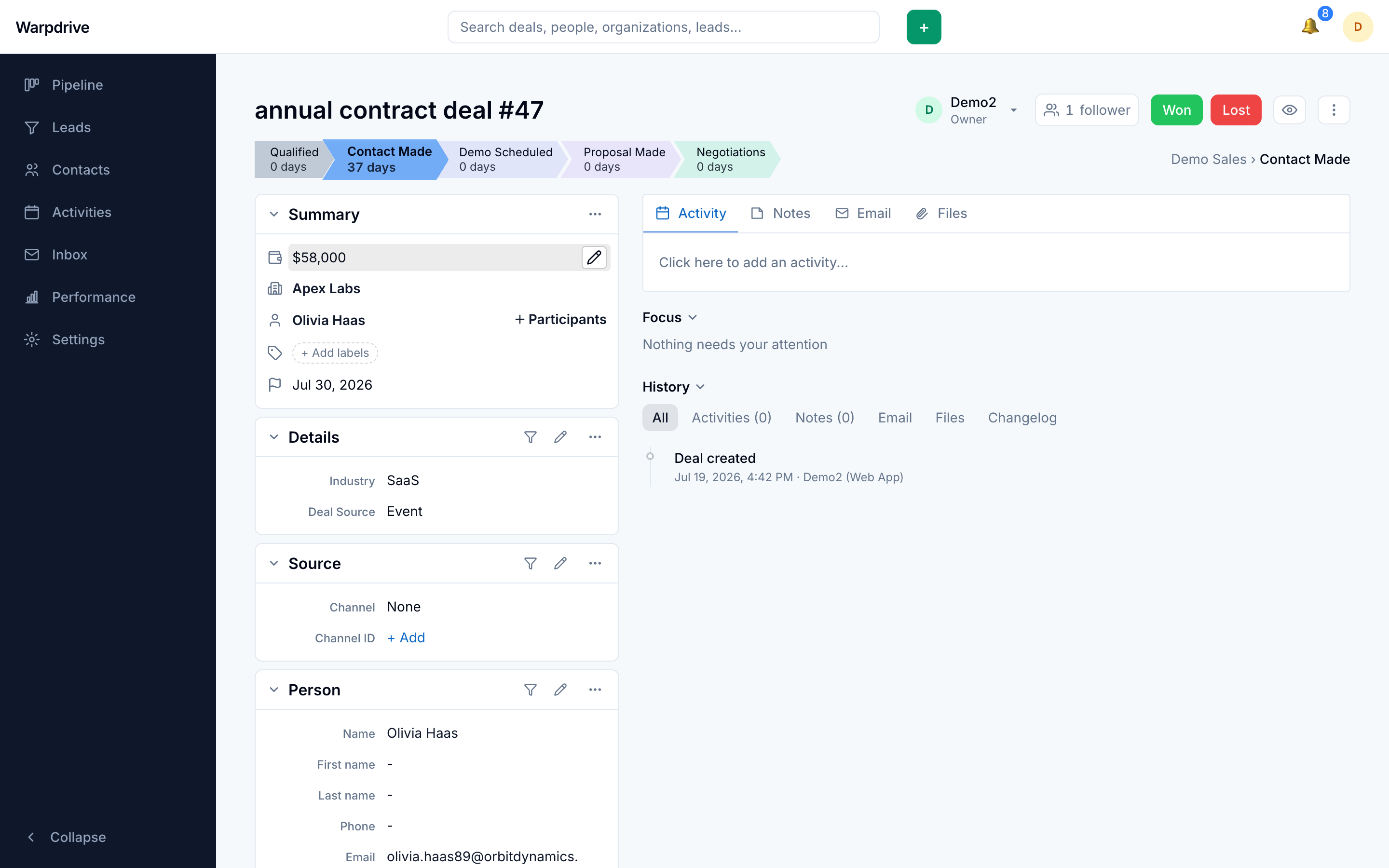
Custom fields appear here alongside the built-in ones. See Data fields for adding them.
The organization and person sections carry a Fill the gaps button that fills their empty fields from connected data providers. See Enrichment.
Activities
Activities scheduled against the deal appear in the main pane, split into upcoming and completed. You can add a call, meeting, or task without leaving the page.
See Activities for scheduling, types, and the calendar.
Notes
Notes are free-text entries on the deal, ordered newest first, and can be pinned to keep one at the top.
Notes support @mentions. Mentioning a colleague notifies them and gives them a pointer back to this deal. See Collaboration.
Files
Files uploaded to the deal are listed with their size and uploader.
Uploads go directly from the browser to object storage using a presigned URL, so the
application server never proxies the bytes. The size ceiling is MAX_FILE_BYTES,
25 MiB by default.
See Files.
Email
Linked mail appears in the deal's timeline as one card per message, interleaved chronologically with activities and notes, collapsed to a snippet and expanded in place. An expanded card offers Reply inline, plus Reply all, Forward, Open in Inbox, and Unlink; mailbox triage (archive, delete, labels) stays in the Inbox, one click away. Your own unsent drafts for this deal are shown beside the sent messages, with Continue and Discard.
Linking happens at the thread level. An inbound message is matched on the sender address; an outbound one is matched on the recipient. See Email for the full model, including what does and does not appear here.
Threads reach colleagues through the deal record, not through their own Inbox. The Inbox folder is personal to each user, so a shared thread is visible to the rest of the team here on the deal, not in their mailbox view.
Participants
Participants are the people attached to the deal beyond its primary contact. They are who the email tab offers as recipients.
Followers
Following a deal subscribes you to its notifications without owning it. See Notifications.
Permissions
Seeing the page requires the deal to be visible to you. Editing it requires edit authority, which can come from ownership, from a team you manage, or from a permission set that grants the action on any visible record.
A deal you cannot see returns not found rather than a permission error, so the page does not disclose that the record exists. A deal you can see but cannot edit returns a permission error instead.
See Permission sets and Visibility groups.