Permission sets
A permission set is a named collection of capability flags assigned to a user.
/settings/permission-sets manages them.
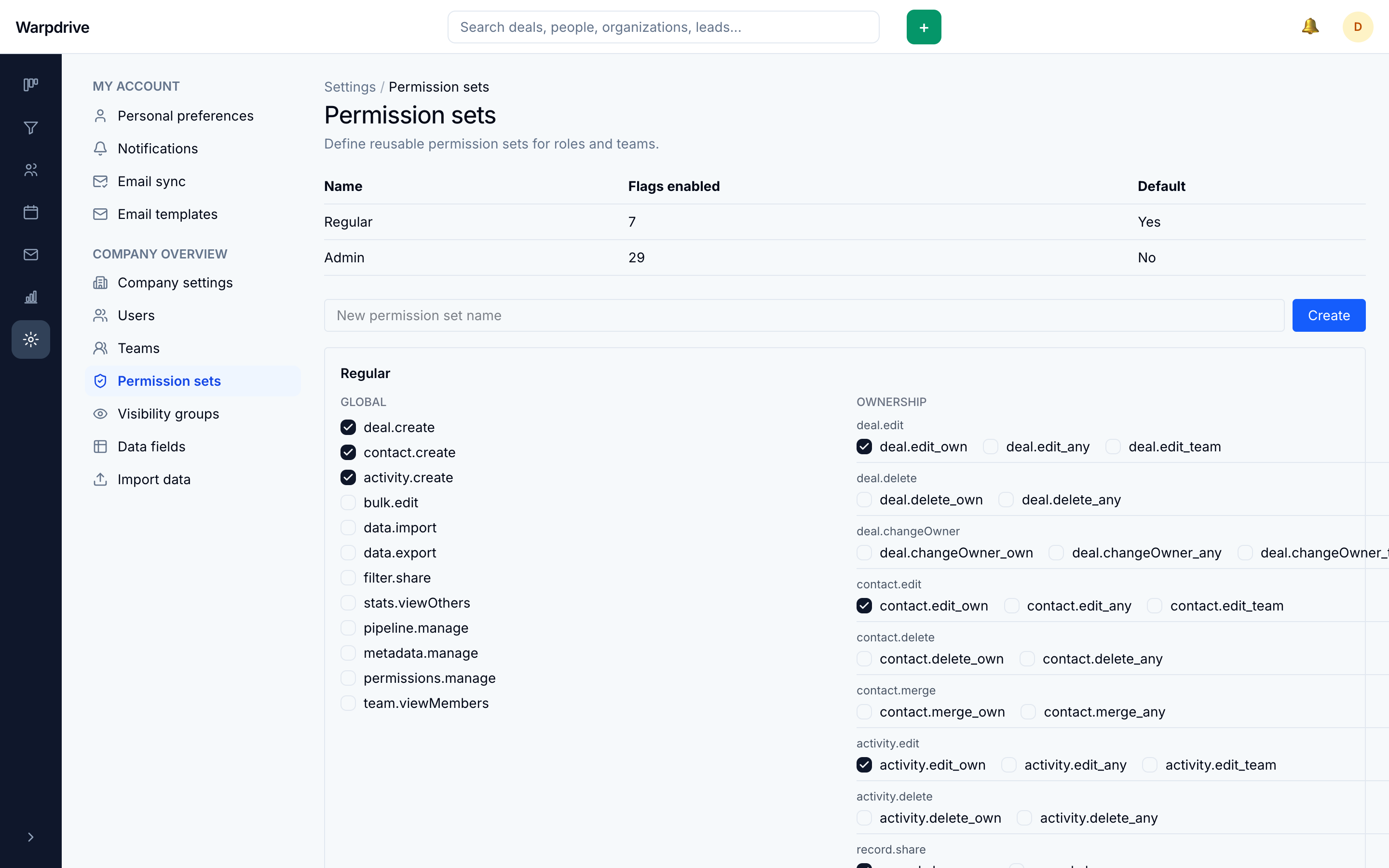
Two sets are seeded on first run: Regular and Admin.
Visibility first, then permission
This is the single most important thing to understand about the model, and the source of most confusion:
A record must be visible to you before any permission is considered.
Permissions do not widen visibility. A permission granting an action on "any" record means any record you can already see, not every record in the database. Which records you can see is decided separately by visibility groups.
A record you cannot see reports not found, not permission denied, so the interface never reveals that a record exists.
Scopes
Record-scoped capabilities come in three scopes:
| Scope | Applies to |
|---|---|
_own | records you own |
_team | records owned by a member of a team you manage |
_any | any record visible to you |
_team is evaluated after normal visibility succeeds, so managing a team does not by
itself let you see its members' records.
Administrators
Administrators bypass flag evaluation entirely.
Inactive users are denied before that bypass applies. A deactivated administrator has no access, which is what makes deactivation a complete revocation rather than a partial one.
High-risk permissions
Some capabilities are treated as high-risk and cannot be handed out by a
non-administrator holding permissions.manage. Such a user also cannot assign their
own set to anyone. Both rules exist to stop permission management from being used to
escalate privileges.
Entities and activities are scoped differently
Visibility rules for records such as deals, people, and organizations are not the same as those for activities scheduled against them. Do not assume that hiding a deal hides every activity that references it.
If you are configuring restricted access, verify both, using an account that holds the restricted set rather than reasoning from the configuration screen.
Related
- Visibility groups, which decide what is visible in the first place.
- Users and teams, for assigning sets.