Email sync
Each user connects their own Gmail mailbox. There is no shared or company-wide mailbox connection.
/settings/email-sync manages the connection; /settings/email holds the
message-level preferences such as your signature.
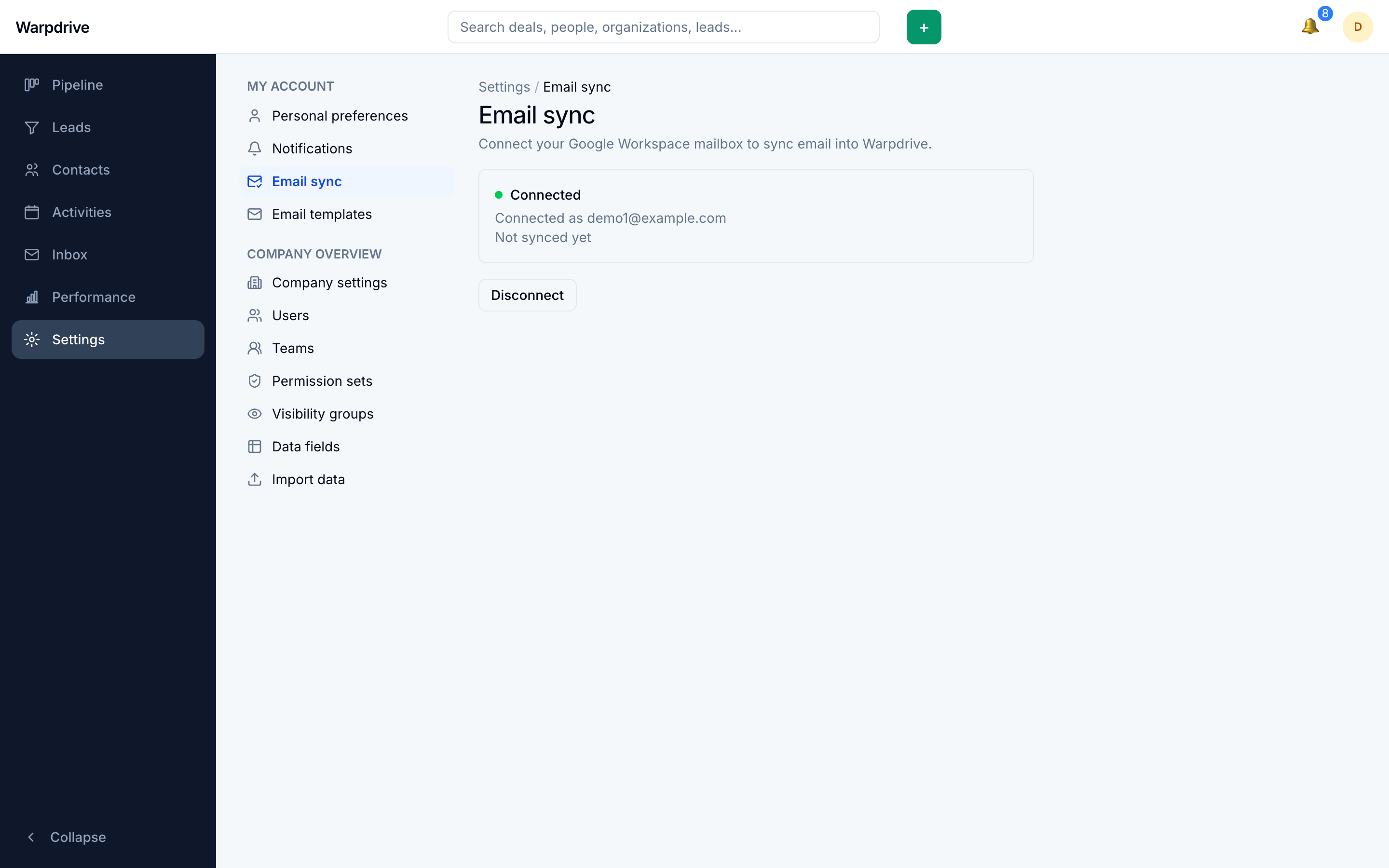
Connecting a mailbox
Start the connection from /settings/email-sync and complete Google's consent screen.
Required scopes
The OAuth client needs the openid and email scopes in addition to the Gmail
scopes. The callback binds the returned mailbox to a Warpdrive user through Google's
userinfo endpoint, so without them the connection fails after consent. The symptom
looks like a Gmail permission problem but is an OAuth client configuration problem.
See Installation for creating the client.
Offline access
Warpdrive requests offline access with forced consent on every connection, because it needs a refresh token to sync in the background. A connection that returns no refresh token is rejected rather than silently accepted.
The OAuth exchange is protected by a state cookie that expires after 10 minutes and is deleted as soon as the callback reads it. Leaving the consent screen open longer than that requires restarting the connection.
What the first sync does
The first sync records Gmail's current history cursor and starts from there.
Existing mail is not imported. Sync is go-forward only. A freshly connected mailbox shows nothing until new mail arrives, which is expected rather than a fault.
Disconnecting
Disconnecting sets the account to disconnected and removes the stored refresh token, but keeps the account row and everything already synced. Reconnecting resumes rather than starting over.
Troubleshooting
Mail arrives in Gmail but not in Warpdrive. Sync runs in the background worker
process. Confirm the worker is running: docker compose ps, then
docker compose logs -f worker.
The mailbox disconnected itself. Google rejected the stored grant outright, which
happens when access is revoked or the password changes. Reconnect from
/settings/email-sync. Transient failures do not cause this, so a mailbox that
disconnects repeatedly points at revoked access rather than a flaky network.
Nothing appears after connecting. Expected if no new mail has arrived. Sync does not backfill.
Related
- Email, for using the mailbox once connected.
- Installation, for OAuth client setup.