Data fields
/settings/fields manages the fields available on deals, people, and organizations.
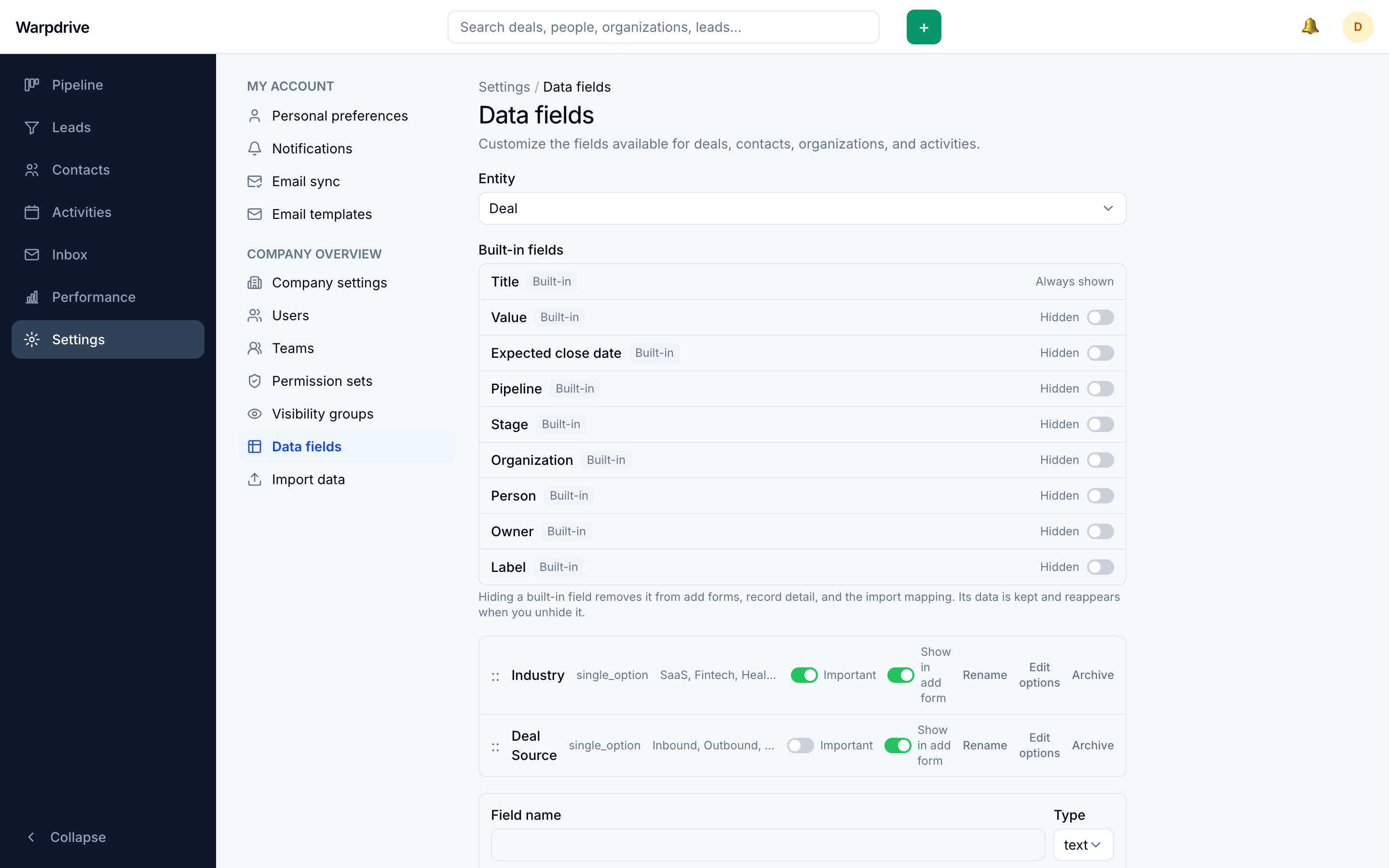
Custom fields
Custom fields are stored as JSONB rather than as new database columns, which is what allows adding one without a schema migration or a restart.
A custom field appears on the record's detail page alongside the built-in fields, and is available in filters and in CSV import column mapping.
Hiding built-in fields
Built-in fields can be hidden when your team does not use them, which shortens the detail pages and the import mapping step.
note
Some built-in fields are structural rather than optional. A deal's stage is the chevron bar in the header, and its value and pipeline sit in the header itself. These are required to create a record, so hiding them affects import only, not the creation form.
Related
- Company settings, for labels, lost reasons, and activity types.
- Import