Company settings
/settings/company holds the catalogs that the rest of the application draws from.
Changing one changes the options everyone sees.
Labels
/settings/company/labels manages the coloured labels applied to deals, people, and
organizations.
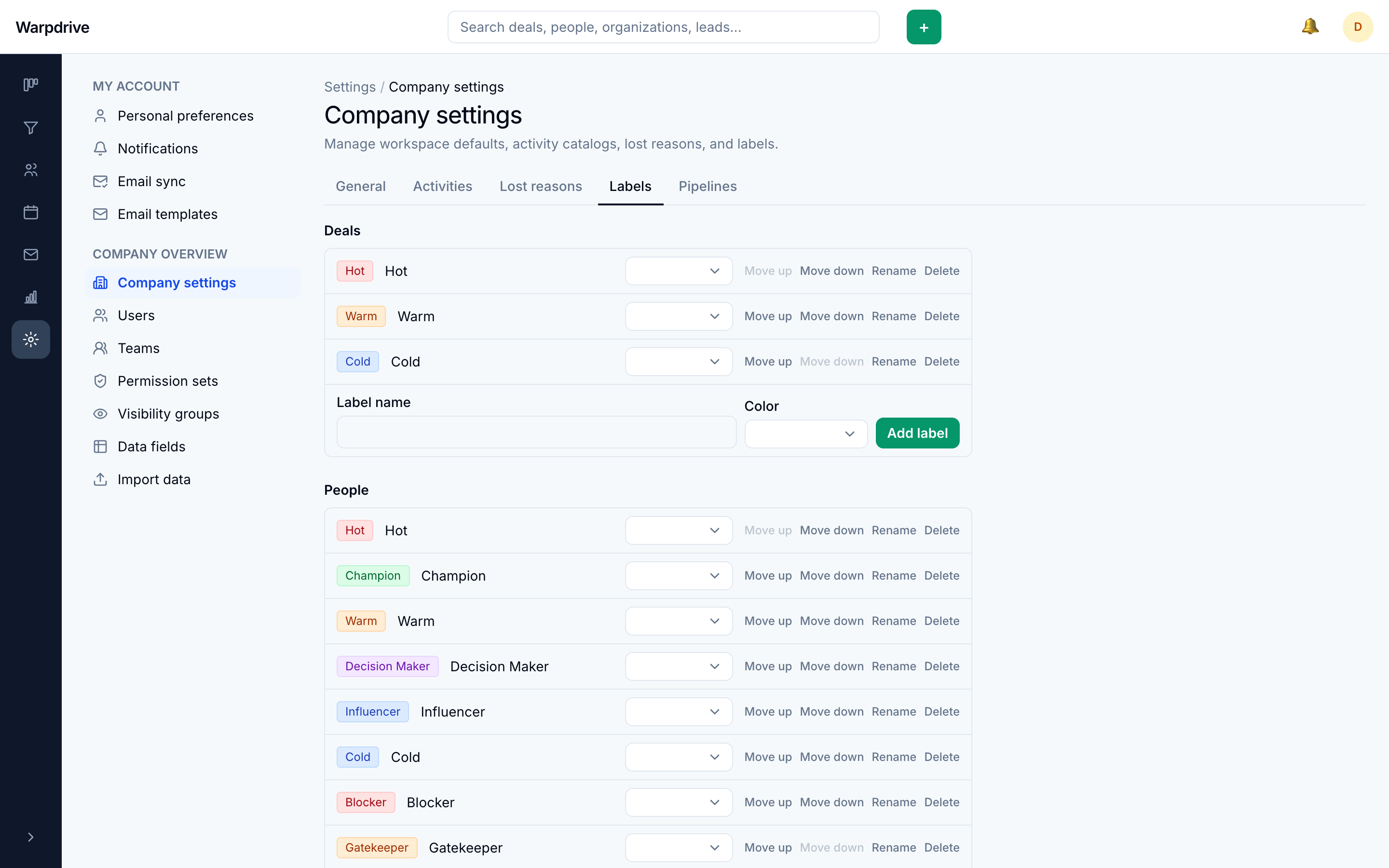
Labels are shared across the deployment rather than per user, so they work as a common vocabulary. A default set is seeded on first run.
Lost reasons
/settings/company/lost-reasons manages the reasons offered when a deal is marked
lost.
Keeping this list short is what makes it useful. A dozen overlapping reasons produce data nobody analyses.
Marking a deal lost by dragging it onto the Lost drop zone on the board does not prompt for a reason. To record one, close the deal from the deal page instead.
Activity types
/settings/company/activities manages the activity types available when scheduling,
such as call, meeting, and task.
Pipelines
/settings/company/pipelines lists pipelines. Stages are edited from the pipeline
itself, at /pipeline/[id]/edit. See Pipeline.
Pipelines can be restricted to a visibility group, which is the strongest access control available: a user who cannot see the pipeline cannot see any of its deals, even ones they own. See Visibility groups.
Who can change these
Administrators, and holders of the relevant management permission. See Permission sets.